
Audio Visualizer Styles Explained: Which One Fits Your Track?
A tour of the 9 core audio visualizer styles — music spaces, waveform, bars, particles, radial, 3D mesh, spectrogram, circular and mirror — and which music or voice each one suits.
Choosing a style is the biggest creative decision in any audio visualizer video. Here is what each of the 9 core styles in AudioVisualize does (the 23 premium styles add print, film and sculpture looks on top), and what it suits.
Music Spaces
A desk by a window, with a city, a forest or orbit outside. The speakers pulse, the player lifts and the lights catch each kick, so the whole room listens. Best for: coding mixes, listening rooms, ambient sessions.
Waveform
A glowing oscilloscope line that traces the raw shape of the sound. It locks onto zero crossings, so it holds steady instead of jittering. That makes vocals and acoustic instruments look especially detailed. Best for: podcasts, voice-overs, acoustic sets.
Bars
The classic spectrum analyzer, rebuilt: 64 log-scaled columns of light from deep bass on the left to air on the right, standing in black water. A band that just sounded sharpens into a white-hot line and fades back into mist, and the reflection runs a moment late, so the recent past of the song sinks below what you hear. Still instantly readable. Best for: EDM, hip-hop, YouTube music uploads.
Particles
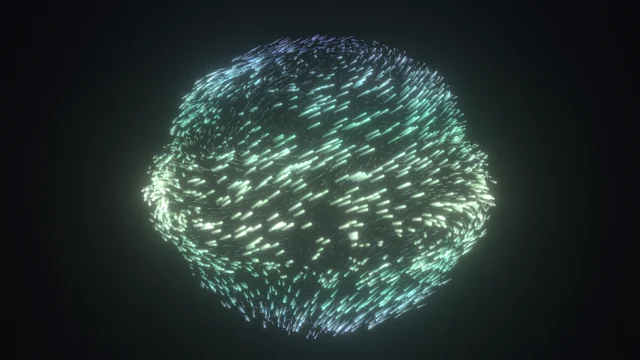
Two and a half thousand points on a breathing sphere. Each latitude listens to its own frequency band, the cloud swells with the bass and every kick throws a spray of sparks. Best for: ambient, 8D audio, festival intros.
Radial
A symmetric burst of 120 spokes around a core that pulses with the low end. The shape stays balanced on any track. Best for: bass music, album-art loops, logo reveals.
3D Mesh
A terrain where each row is a slice of the spectrum scrolling toward a pulsing sun. It is the one to run full screen behind a DJ set. Best for: house, techno, synthwave.
Spectrogram
A scrolling picture of frequency over time. It is less about the beat and more about texture, so you can see a hi-hat pattern or a filter sweep. Best for: lo-fi, ambient, teaching how sound works.
Circular
A ring that deforms with the sound, with a clear centre for a logo or an avatar. Best for: stream alerts and overlays on a transparent or green-screen background.
Mirror
A symmetric waveform that stays balanced in square and vertical frames. Best for: podcast audiograms and short-form video.
How to choose quickly
Start from the platform. Vertical or square? Try Mirror or Circular. Landscape music video? Bars or 3D Mesh. A long mix to work to? Music Spaces. Voice? Waveform. Then change the palette until the loud passages feel bright and the quiet ones feel calm. You can switch style mid-song, so audition them in the tool, or open one of the audience guides that load a ready-made setup.