
Night ShiftPremium
A desk by a rainy city window, with your song playing on the monitor and a room that listens.
Best for: Coding mixes, listening rooms and ambient sessions
Turn any song into a live music visualizer in your browser. Start free: free exports need no account, and nothing is uploaded.
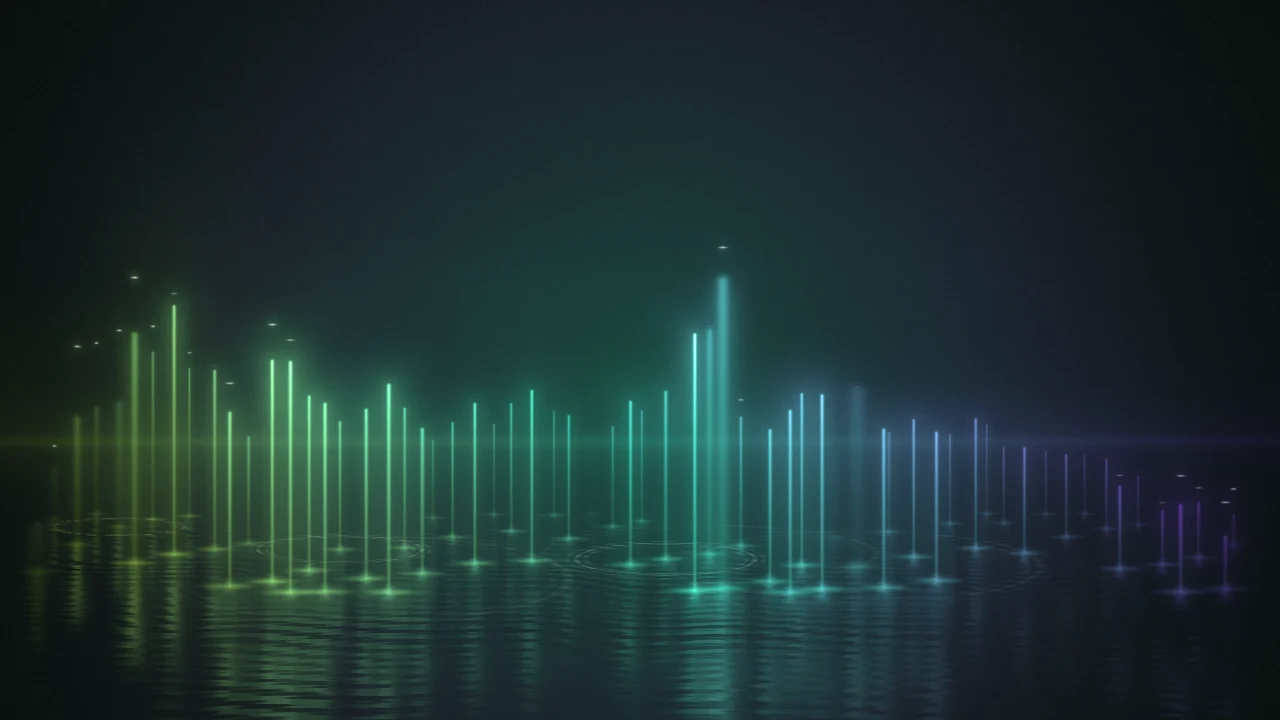
Every frame below is a real capture from the audio visualizer above. Click a card to load that setup and hear it.
An audio visualizer turns sound into moving images in real time. It splits the signal into frequencies with a Fast Fourier Transform (FFT), measures how loud each band is dozens of times per second, and maps those numbers to shapes: bars that jump with the kick drum, a waveform that traces every syllable, particles that burst on the drop.
Musicians, podcasters, DJs, streamers and teachers all use an audio visualizer: for a YouTube video, a social audiogram, a live set or a classroom demo.
AudioVisualize keeps the spirit of Winamp and MilkDrop as an audio visualizer on WebGPU, straight in a browser tab.
Looking for an audio visualizer app? You don't need one. This free online audio visualizer works as an audio visualizer generator on desktop and mobile: load a track, pick one of 34 styles and it draws the video as the song plays.
A short history
Winamp ships with a built-in spectrum analyzer and oscilloscope.
MilkDrop brings beat-reactive, shader-driven presets to Winamp.
Windows Media Player and iTunes put visualizers on millions of desktops.
WebGPU lands in Chrome, Edge, Safari and Firefox — GPU visuals in any tab.
Three steps, all in the panel above.
Press Upload audio or drag a file onto the stage; Microphone and System audio work live.
Choose a Style, a color swatch and a Background; the stage updates while the music plays.
Set the Resolution, choose WebM or MP4 and press Export video; it records in real time.
24 free + 10 premium audio visualizer styles, each built for a different kind of sound. Nine classics come first, all free but Night Shift, one of the three Music Spaces rooms; the full list follows. These are unedited captures from the stage above.
A desk by a rainy city window, with your song playing on the monitor and a room that listens.
Best for: Coding mixes, listening rooms and ambient sessions

A classic analog oscilloscope: one thin phosphor beam traces the waveform, glowing where it lingers on peaks and fading on steep edges. It levels itself so quiet voices still read, and rests as a flat line in silence.
Best for: Podcasts, voice-overs, acoustic sets
Open the waveform maker
The classic equalizer bars, rebuilt as columns of light standing in black water. A band that just sounded snaps into a white-hot line and fades back into mist, and the water shows every column a moment late, so what you just heard sinks below what you hear.
Best for: EDM, hip-hop, YouTube music uploads

Four thousand motes drift in currents across the surface of a breathing sphere. Each latitude listens to its own frequency band and lifts off the shell when that band is loud. Every kick blows the swarm outward and a spring pulls it home, leaving silky trails.
Best for: Ambient, 8D audio, festival intros

An eclipse at totality: a black disk with a white-hot rim and a corona of fine filaments that arch over as loops, then stream out as rays. Lows reach from the top and highs from the bottom, mirrored left to right. The highs break the rim into beads. A solar wind of fine dust streams off it, and every kick breaks a diamond ring through and drives a shockwave through the dust, gathering it into a glittering front. The dark center is a ready-made spot for a logo.
Best for: Bass music, album-art loops, logo reveals

A landscape drawn in contour lines, where every row is a moment of the spectrum. The bass raises mountains on both sides, the highs ripple the valley floor, and the valley leads the eye to a slatted sun on the horizon. Hills hide what is behind them, like real terrain.
Best for: House, techno, DJ sets, retro edits

A scrolling audio spectrum visualizer: a heat map of time against frequency on a log scale, the view audio engineers use to spot hums, clicks and harmonics. Noise drops to black and peaks burn white, with a live spectrum profile beside it. Unlike bars, this audio spectrum visualizer keeps about six seconds of history on screen.
Best for: Teaching, sound design, audio analysis

A chronograph for sound: a spring-loaded spectrum ring with a slow ghost behind it, the waveform wrapped into an inner loop, and a bezel of 120 ticks lit by the bands beneath them. The empty center frames a logo or cover art.
Best for: Stream alerts, branding, Instagram posts

Rounded capsules mirrored top-to-bottom and left-to-right with the bass in the middle — the audiogram look from podcast clips. Each bar rides its own spring, kicks ripple outward from the center, and quiet bands rest as dots. It stays legible at small sizes and on top of video.
Best for: Audiograms, overlays, captioned clips
Grouped by family. Click one to hear it on the stage above; premium styles preview free.
Music Spaces · 3
Spectrum · 4
Radial · 3
Particles · 2
3D · 7
Print · 3
Data · 3
Sculpture · 3
Light · 6
What you set in the panel, and exactly what it changes in the file you download.
You set: 24 free + 10 premium styles
From classic spectrums and radials to particles, 3D scenes, print, data, sculpture and light looks, plus the three Music Spaces rooms. Switch mid-song; everything is drawn on the GPU at up to 60 fps.
You set: 6 presets, plus your own
One click sets the style, colors and motion together and leaves your track, size and words alone. Save your own setups in this browser and reuse them on the next song.
You set: One of 35 palettes, or your own
Glow, film, print and mono palettes, or a custom three-color one. Each maps low to high energy, so quiet passages stay calm and loud ones glow. Finish switches the light between glow and film.
You set: Dark, gradient or your image
Dark grounds, gradients, spotlight, haze and halo light, or your own picture behind the visuals. Add grain, dots, a grid, lines or paper texture, and let the light drift slowly with the song.
You set: Transparent, green or blue screen
Transparent renders with an alpha channel for compositing in Premiere Pro, DaVinci Resolve, After Effects or OBS. Green (#00B140) and blue (#0047BB) screens key out cleanly in any editor, including CapCut and phone apps.
You set: Your image, as art or mask
Silkscreen prints your cover, Melt melts it, Chrome reflects it, and Lens can project it through the glass. Or use it as a stencil: the visuals show only through its light or dark parts, and the bass opens the edge wider.
You set: Title, artist, lyrics
Put the title and artist on the video. Add lyrics by pasting the words and pressing Mark as each line starts, importing an .lrc or .srt file, or filling them from a Suno link (only the link is sent). Drag the lyrics anywhere on the picture.
You set: What each part follows
Choose whether a reaction follows the kick, any hit, the bass, mids, treble or the overall volume, give it a snappy, bouncy or smooth feel, and watch a live meter as it moves. Overall, bass, mids and treble sliders set how much sound goes in.
You set: Shape, motion, light, transform
Each style brings its own sliders, grouped so you find them quickly. Changed ones are counted, and Reset puts a group back to the style's tuned look.
You set: 720p, 1080p, 4K, 9:16 or 1:1
The canvas renders at the export size, so the preview is exactly what you download. 4K export uses credits.
You set: WebM, MP4 or PNG
WebM (VP9 + Opus) records in Chrome, Edge and Firefox; MP4 (H.264 + AAC) in Safari and recent Chrome. PNG saves a single frame.
Six ways people use an audio visualizer. Each guide covers the best style, size and settings.
Beat-reactive visuals for your set. Run the 3D Mesh full-screen behind the decks, or feed it system audio straight from your DJ software.
Read the guideTurn an episode clip into an audiogram for Instagram, LinkedIn and X with the Mirror or Waveform audio visualizer style in square 1:1.
Read the guideGive every single an audio visualizer video for YouTube, a Spotify Canvas loop or a pre-save teaser — no motion designer required.
Read the guideTransparent and green-screen audio visualizer overlays that react to your mic or music, ready to drop into OBS as a scene layer.
Read the guideShow what sound looks like — pitch, frequency, harmonics and rhythm — with an audio visualizer fed by a classroom microphone.
Read the guideVertical 9:16 audio visualizer exports for TikTok, Reels and YouTube Shorts, sized right the first time so nothing gets cropped.
Read the guideEverything happens on your device. Here's what that means for you.
0 bytes
Your audio is decoded, analysed and rendered on your own computer or phone. Files never reach a server, so unreleased tracks stay unreleased.
0 accounts
Open the audio visualizer, drop a file and export for free: no account, nothing to remember. An account only comes up for a paid step such as removing the watermark, a premium style or 4K, and the price is on the button first.
1 credit
Free audio visualizer videos carry a small corner watermark; one credit or a Pro plan removes it, and 4K and premium exports are always clean.
60 fps
The audio visualizer draws every frame on your graphics card with WebGPU (and a WebGL 2 fallback), so changes show instantly.
AudioVisualize next to two popular free online audio visualizers, on the questions people ask most.
| Question | AudioVisualize | audio-visualizer.com | vizz.fm |
|---|---|---|---|
| Uploads your audio to a server? | No — runs locally | No — runs locally | No — runs locally |
| Account required? | No (only for premium and 4K) | No | No |
| Watermark on exports? | Small on free, 1 credit to remove | None mentioned | Not stated |
| Export formats | WebM, MP4, PNG frame | WebM, MP4 | MP4 |
| Microphone & system audio | Both | Audio files only | Both, plus SoundCloud links |
| Video export on phones | Yes, where the browser can record | Not stated | Desktop Chrome or Edge only |
Competitor details are taken from each site's public pages as of November 1, 2026. Features change — if something here is out of date, tell us and we'll fix it.
Yes, this audio visualizer is free. All 24 free styles, every palette and every export format (WebM, MP4, PNG) are free up to 1080p, with no trial. Free videos carry a small corner watermark; removing it costs 1 credit per export or comes with Pro, and PNG stills never carry one. The 10 premium styles preview free, but exporting them or exporting in 4K uses credits (Pro includes premium styles at 1080p), and those videos have no watermark.
No, not for free audio visualizer exports: open the page, load audio, export. An account (for credits or Pro) is needed only to remove the watermark, export a premium style or 4K, or use the optional paid steps. We never ask for your email address otherwise.
Yes. Choose MP4 under Export; Safari and recent Chrome and Edge record it directly. If your browser can only record WebM, the tool switches and tells you. YouTube accepts WebM as it is, or convert it with a free app like HandBrake.
Yes. The audio visualizer runs in Safari, Chrome, Edge and Firefox on macOS. Safari exports MP4; Chrome exports WebM and MP4. To visualize system audio on a Mac, use Chrome or Edge and share a tab with “Share tab audio” switched on.
Yes. The audio visualizer handles uploads, microphone input and every style in mobile Safari and Chrome, and you can export wherever the browser supports video recording. For long tracks a laptop is quicker; the tab has to stay open and on screen while it records.
No. Files are decoded with the Web Audio API inside your browser tab and never sent to our servers. Close the tab and they're gone.
An audio visualizer video can be as long as your track. Export records in real time, so a four-minute song takes four minutes.
The visuals you export are yours to use, including on monetized channels. You still need the rights to the music itself — an audio visualizer doesn't change who owns the song.
It's an online audio visualizer: there is nothing to download or install. Open it in any modern browser, desktop or mobile, and it works like an app. Your audio stays on your device.
Yes. Load a song, pick a style and resolution, then press Export video; the audio visualizer generator records WebM or MP4 as the track plays, with no timeline and no render queue.
Live visuals for club screens, streams and VJ loops.
Turn episode clips into waveform videos for social feeds.
A video for every single, teaser and pre-save.
Transparent, mic-reactive overlays for your stream.
Show pitch, frequency and harmonics live on a projector.
9:16 audio visualizer exports sized for short-form video.
Browser source, transparent WebM and green-screen setups.
Resolution and format cheat sheet by platform.
The browser features this audio visualizer is built on, and the upload guidance its export presets follow.
How the browser decodes and analyses audio — the reason your files can stay on your device.
The graphics interface that draws every frame.
The built-in recorder behind WebM and MP4 export.
The resolution, frame-rate and codec guidance behind the export presets.