Podcast Audiogram: How to Turn a Clip into a Video for Social
A practical guide to making a podcast audiogram: pick the clip, choose the format and export a square or vertical video without uploading your audio.
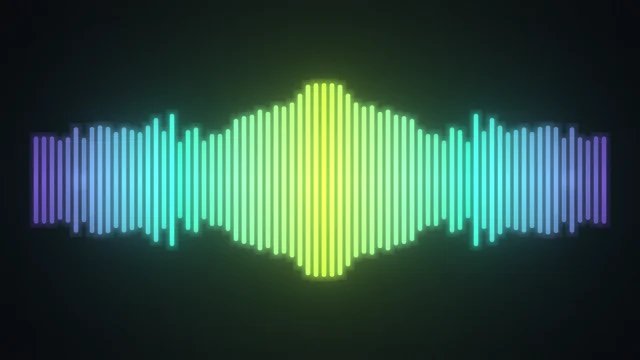
An audiogram is a short video where a moving waveform sits over your podcast audio. It exists because audio alone doesn't autoplay in a social feed, while a moving picture does. You can make one in a browser tab with AudioVisualize.
Pick a clip worth sharing
The best audiogram clips are 20 to 60 seconds long, start mid-thought and land on a clear point: a surprising claim, a laugh, a tip. Trim your episode to that moment in any audio editor first, then load the file with Upload audio.
Choose the format for where it will live
- 1:1 square for LinkedIn, X and the Instagram feed. It takes up the most screen in a timeline.
- 9:16 vertical for Reels, TikTok and YouTube Shorts.
- 1080p landscape for YouTube and your own site.
Pick this under Resolution before you record. More settings per platform are in the export cheat sheet.
Pick a style that reads as speech
For voices, Waveform and Mirror work best. They show the shape of speech clearly, and Mirror stays balanced in a square frame. Keep the palette calm and consistent with your show's artwork. A dark or gradient background is easy to read behind captions.
Add captions elsewhere
AudioVisualize draws the visualization and exports the video. Most listeners watch with sound off, so add captions in your video editor or social app afterwards. Export a Transparent WebM if you want to lay the waveform over your cover art in an editor.
Export and check it on a phone
Choose MP4 where your browser can record it, otherwise WebM, then press Export video. The recording runs in real time. Watch the result on your phone before posting, and keep key visuals out of the bottom fifth of vertical frames where apps place their buttons.
Why browser-based matters for podcasters
Unreleased episodes are sensitive. Because the audio is decoded and drawn on your own device, nothing is uploaded and no account is needed. (Only the optional Analyze song, which times song lyrics, sends a copy, and a podcast doesn't need it.) For the full workflow by audience, see the podcast audiogram maker page.